Use this free piano MIDI player to listen to a MIDI file in your browser. Upload a .mid or .midi file, load it into the player, and hear a piano-style rendering without opening a DAW, notation program, or separate MIDI utility.
This page is meant for quick listening, checking, and previewing. It is especially useful when you want to know what a MIDI file sounds like before sending it to a digital piano, Yamaha Disklavier, QRS Pianomation system, PianoDisc system, keyboard, or other MIDI playback device.
Upload MIDI file
Use the player above: Choose a MIDI file from your computer or phone, then load it to hear the playback.
What this MIDI player is good for
- Listening to and testing MIDI files online before downloading more software.
- Rendering MIDI files as piano playback for a quick musical preview.
- Checking MIDI files before loading them onto a player piano or keyboard.
Using MIDI files with Disklaviers and player pianos
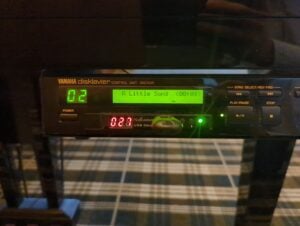
If you are preparing files for a Yamaha Disklavier or another player piano, previewing the MIDI file first is a good habit.
Some older player systems are also picky about file format. A MIDI file may play correctly on a computer but fail, play only one hand, or behave unpredictably on a piano.
Not sure why the file won’t play on your piano? Run it through Why Won’t This Song Play? first to check the file and identify the most likely fix.
Download APS MIDI Prep Tool
Latest version: v0.8.2
Where to find MIDI files to test
For Disklavier owners, player-piano owners, teachers, technicians, and hobbyists, public-domain MIDI files can be a useful starting point. I keep a separate guide to free MIDI and E-SEQ sources, including material that may be useful for Yamaha Disklaviers and other playback systems.
Common problems when previewing MIDI files
The file sounds too mechanical
That usually means the MIDI file itself is mechanical. MIDI playback can only render the performance data that is present in the file. If every note has the same velocity, perfectly rigid timing, or no pedal data, the result will sound stiff.
Only one hand plays on my piano
If the file sounds complete here but only one hand plays on a Disklavier or another player piano, the piano may not be reading the file structure correctly. Try converting the file to MIDI Type 0, then test the converted copy on the actual instrument.
The piano sound is different from my instrument
That is normal. A MIDI file does not contain a recording of a specific piano. It contains instructions that can be rendered by different sound engines, sample libraries, keyboards, or player pianos. The same MIDI file can sound different from one device to another.
The timing or pedal behavior sounds wrong
Check the original file, especially if it came from a notation export, a piano roll scan, a DAW, or an automated conversion. Tempo maps, sustain pedal events, and note durations are all part of the MIDI data and can vary widely from file to file.
FAQ
Can I listen to MIDI files without installing software?
Yes. This page is designed for quick MIDI playback in the browser. Choose a MIDI file, load it, and use the player to hear the file as piano playback.
Can this render a MIDI file as piano sound?
Yes, for preview purposes. It renders the MIDI performance as piano playback so you can hear the notes, timing, velocity, and pedal behavior. It is not intended as a final audio mastering tool.
Is MIDI the same as MP3 or WAV?
No. MP3 and WAV files are audio recordings. MIDI files are performance data. They need to be rendered by a sound engine, keyboard, software instrument, digital piano, or player piano before you can hear them.
Will this prepare MIDI files for my Disklavier?
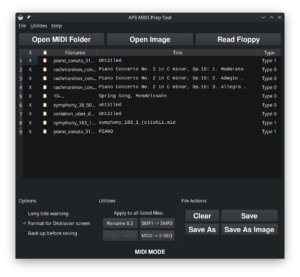
This player is mainly for listening and checking. If you need to prepare files for a Yamaha Disklavier or another player piano, you may also need format conversion, file renaming, disk-image tools, or model-specific preparation.
What file types should I use?
Start with standard MIDI files, usually ending in .mid or .midi. If a file came from a zip archive, disk image, floppy backup, or older player-piano format, it may need to be extracted or converted before it can be played here.
For piano owners, technicians, and MIDI hobbyists
I work on acoustic pianos, digital pianos, hybrid pianos, Yamaha Disklaviers, and other piano playback systems. This page is part of a larger collection of free tools for checking, preparing, converting, and organizing piano MIDI files.
If you are using MIDI files with a real piano and something does not behave the way it should, test the same file in more than one place. A file that plays correctly in a browser but not on the instrument may need conversion. A file that sounds wrong everywhere probably has a problem in the MIDI data itself.