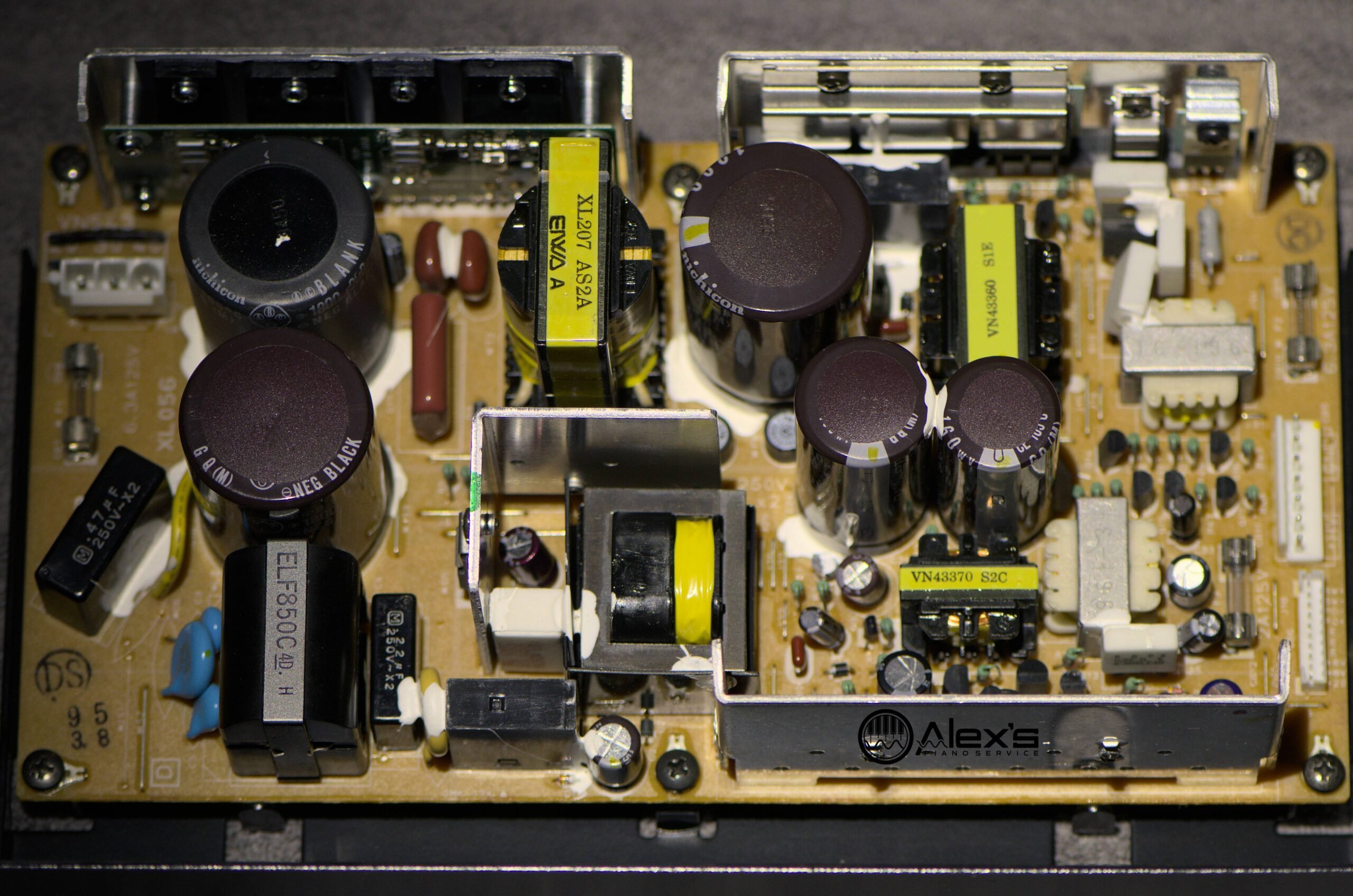
Over the years, I’ve replaced the power supplies on most of the Mark II generation Disklaviers I’ve worked on. These second-generation Disklaviers are terrific instruments—until the original power supply quits. When it does, the piano either won’t turn on, whines loudly, or randomly shuts off after running for a short period of time. This also applies to Mark II XG and Mark III systems, such as the DKC-500RXG and DKC-55R.
Power supply failure can occur on other generations of Disklavier, such as the Mark IV and E3, but it’s rarer. And no matter the generation, once the power supply is rebuilt, protect your Disklavier with an adequate surge protector. The issues described in this article aren’t usually related to power surges specifically, but it’s a worthwhile investment to protect your instrument.
What are the symptoms?
The Disklavier won’t turn on at all
Pushing the power button causes a faint clicking sound, and nothing further happens. Sometimes the screen briefly flashes, possibly even for a second or two. This is the classic symptom of power supply failure, and many owners and technicians notice it after repeated power cycling.
It spontaneously shuts down after a short time
The piano runs for a few seconds, or perhaps even minutes, before powering off spontaneously. It might even play for a short period of time. Importantly, there will be no shutdown message displayed on the screen—power simply cuts out. This is different from a worn or unreliably power button, which will display a shutdown message.
There are loud whining or hissing noises
The piano may run, but there’s a clear, loud whining sound coming from the bottom of the instrument. I first encountered this with an HQ100 (the Japanese version of the MX100II).
Consider These Possibilities before Replacement
A worn or unreliable power switch
Sometimes a worn power switch mimics a dying supply. While the piano is on, gently wiggle the button. If the system shuts down, replace the switch (a cheap part) before shipping the supply. The most common situation is that the piano plays for several seconds or minutes, and then shuts off. However, it will display a message indicating that it’s shutting down; this is how you can differentiate this issue from a power supply failure.
The Yamaha part number for the switch in the Mark II XG service manual is VN388300. It also appears in the DKC-100 service manual as VP367500, and the MX100II service manual as VP510200. Although these parts are now all discontinued, we do have options.
The Mark II XG service manual indicates that the switch itself is an ALPS SPPH23. This family of switches is also discontinued, but there are many available as “new-old” stock. Recently, a reader reached out to inform me that the ALPS SPPH230100 is now available on eBay, and he found it to be an exact match. I have citations below comparing these different models of switch.
I’ve been able to install this as a replacement for the original switch numerous times, and have heard from numerous readers who have also used it successfully. You can find this switch on eBay here. A visitor recently donated me a large supply of them, so if you contact me directly, I can send you one for the cost of postage.
The ALPS SPPH230100 is a member of the SPPH2 series (1.0 mm-travel compact vertical push switch series). ALPS SPPH230100 is a latching (self-locking) push switch in the SPPH2 series.
An overheating 100 V Japanese power supply
Make sure your Disklavier isn’t a “gray market” Japanese model that expects 100 V. Here in North America, our outlets supply 120 V. Running one of these pianos at full U.S. voltage can cause overheating that mimics a failing power supply. Look for Japanese text on the control unit, or for markings indicating “100 V” around the power cord. A Nissyo step-down transformer can be installed on the back of the piano to supply a steady 100 V.
Who can fix it?
The majority of technicians, including Disklavier technicians, do not fix the power supplies themselves. There are two rebuilders I personally would recommend:
TAP Electronics
Located in California. I’ve used TAP Electronics for years, and they were initially recommended to me by Yamaha. You should specify that you also want the capacitors replaced. Old electrolytic capacitors can become unreliable and cause further damage, so if you’re rebuilding the power supply anyway, do this as well.
As of July 2025, a customer reported paying $850 including return shipping; pricing is subject to change.
Website: https://www.tapelectronics.com/
Ground Grown Circuits (Noah Jolly)
Located in New York. If you’ve had much correspondence with Yamaha, you might have already encountered Noah. He’s a multi-talented individual and refurbishes these power supplies fully. His price includes replacing the original unreliable components, all electrolytic capacitors, and any other failed parts he finds. It also includes repairing traces damaged by leaking electrolytic fluid. He includes return shipping via UPS Ground.
As of July 2025, Noah quoted $999 including return shipping; pricing is subject to change.
Website: https://www.groundgrowncircuits.com
PureTech Solutions
Located in the United Kingdom. If you’re located in Europe, PureTech is a much closer option. Originally recommended to me by the talented John Driscoll, a fellow Disklavier technician, I’ve now forwarded several customers to this company with positive reports.
Contact: Dan Turner ([email protected])
Website: https://puretechsolutions.co.uk/
Can I remove it myself?
If you have an upright Disklavier and are comfortable with DIY repair work, you might choose to remove the power supply yourself. Be mindful that the capacitors are large, and that there’s voltage even when unplugged. Do not attempt this if you’re at all uncomfortable: A technician can remove it quickly without meaningful risk to themselves or the instrument.
- Unplug the piano and press the power button. Then wait ten minutes. Pressing the power button helps to discharge power stored in the unplugged piano. There may still be lethal voltage in the power supply, so do not assume it’s discharged unless verified with a meter or by a qualified technician.
- Remove the kick panel above the pedals. This is held in place with a leaf spring (or two) at the top of the panel.
- Locate the power supply. It’s the metal box at lower right. It mounts directly to the bottom of the piano, and you’ll see several large capacitors. Do not remove the power supply from its metal frame, or its enclosure in a grand piano.
- Photograph cable positions. The cables are all unique, so it is intuitive to reconnect properly. But if you’re unfamiliar, it’s a good idea to keep a record just to be safe!
- Loosen the mounting screws. There are screws holding the power supply to the bottom board. Loosen them and slide the power supply sideways to release it.
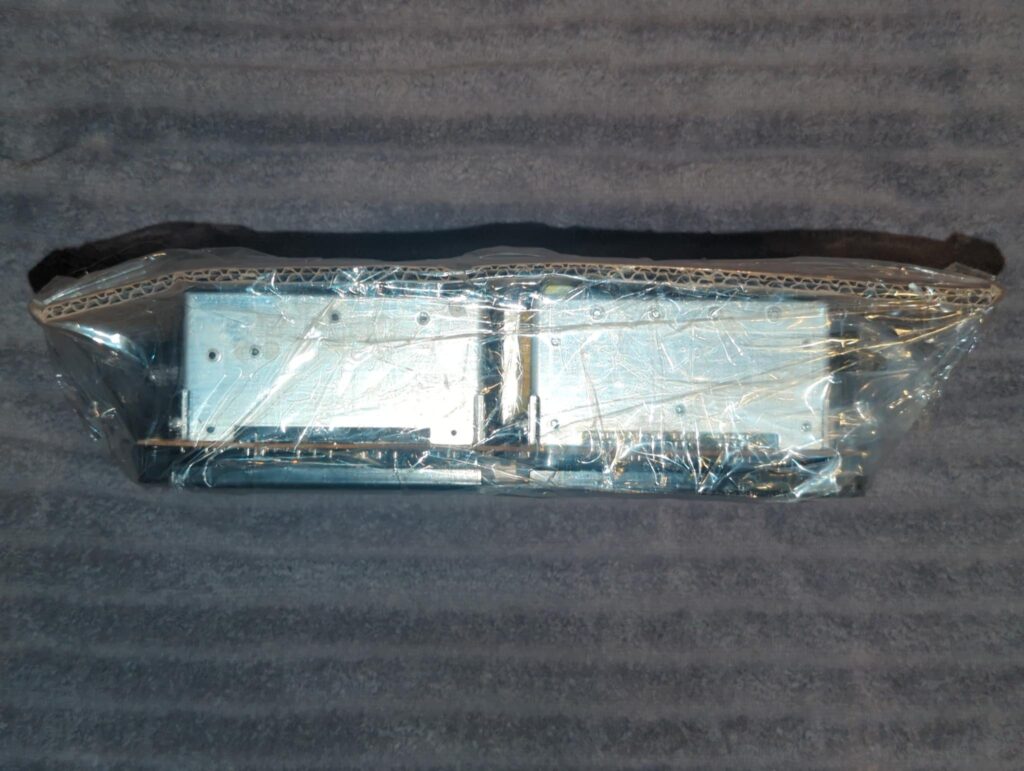
- Pack the power supply.
Own a grand Disklavier? Call a technician. In order to remove the power supply, you’ll have to either remove the piano’s action, or do some more complicated surgery.
How do I ship a power supply?
Pack it securely! Use a double-wall box, 2–3″ padding on every side. Bubble-wrap the unit; no loose screws or cords in the box. Include a letter with your contact information, piano model and symptoms, and—for TAP—“Please rebuild and replace all electrolytic capacitors.” And insure for at least the rebuild cost.
I use Pirate Ship for mailing my packages. The service itself is free, and you can end up paying dramatically less than you would if you shipped from your local post office or UPS location. (I typically save about 50%, but your results may vary.)
Citations
Technical details in this article are drawn from Yamaha factory service documentation and manufacturer component datasheets used in professional service contexts.
Yamaha Corporation. (1997). Disklavier Grand Pianos: Mark II XG Series Service Manual (Models DC1IIXG, DC2IIXG, DC7IIXG, DGH1BIIXG; internal service documentation; publication no. 1.4K-009). Hamamatsu, Japan.
Yamaha Corporation. (1993). Disklavier II Pianos: DKC-100R Service Manual (Models DG1FII, DG2FII, DC7FIIW, DGH1BII; internal service documentation; publication no. 1.15K-3311). Hamamatsu, Japan.
Yamaha Corporation. (1992). Disklavier II Pianos: MX100II Service Manual (Internal service documentation; publication no. 1.3K-406). Hamamatsu, Japan.
ALPS Electric Co., Ltd. Push Switches SPPH2 Series. Zaiko Store, PDF file, n.d., https://www.zaikostore.com/jsp/pdf/PDFFILE/ALPS/FIL106000.PDF. Accessed 26 Dec. 2025.
ALPS Alpine Co., Ltd. “SPPH2 Series.” Alps Alpine, n.d., https://tech.alpsalpine.com/e/products/category/switches/sub/03/series/spph2/. Accessed 26 Dec. 2025.
Ground Grown Circuits. “DISKLAVIER.” Ground Grown Circuits, n.d., https://www.groundgrowncircuits.com/disklavier. Accessed 26 Dec. 2025.
The Kansai Electric Power Co., Inc. “Voltage and Frequency Are Different in Japan.” KEPCO, n.d., https://www.kepco.co.jp/english/home/denki/01.html. Accessed 26 Dec. 2025.
United States, Department of Energy, Office of Electricity. “Electricity 101.” U.S. Department of Energy, n.d., https://www.energy.gov/oe/electricity-101. Accessed 26 Dec. 2025.
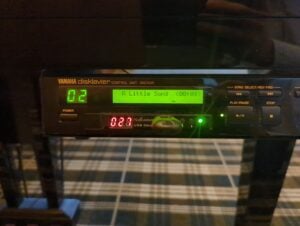
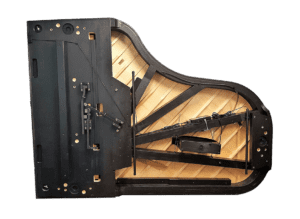
I had a constant problem with my disklavier shutting down. When I read about the power switch being the problem, I decided to try something simple instead of the switch replacement. After turning the disklavier on I put a piece of scotch tape over the power switch. Problem solved. The tape keeps the switch from vibrating.
Hello Dave! That’s quite an inventive solution, and I appreciate your sharing it. If the switch does eventually need to be replaced, it’s a relatively straightforward repair, but it’s great that you’ve found something simple that keeps it stable for now. Thanks for posting your experience!
Thanks for sharing your post about the switch. Over the past few years, I spoke with several Yamaha technicians about my Disklavier randomly shutting down, and not one of them suggested the switch could be the problem. Most either didn’t know what was causing it or assumed my home’s electricity was unstable.
Now my wife and I can finally enjoy listening to our piano without interruptions. And if it ever starts acting up again, I’ll know the first thing to do is replace the switch. Thanks for your advice.