The MX100A and MX100B are early first-generation (Mark I) Disklaviers with built-in controllers, distinct from the later MX100II. They record and play Yamaha’s older E-SEQ song format from low-density (2DD) floppy disks and can be adapted for Bluetooth MIDI, CD playback, or external instrumental accompaniment.
At a Glance
- Generation
- Mark I built-in controller
- Associated Models
-
Mark IBuilt-inMX100AMX100B
- Uses
-
2DD floppy
- Recording
-
E-SEQ
- Plays
-
E-SEQ
- PianoSoft Types
-
Solo
- Upgrade Options
-
MIDI/app playbackBluetooth MIDIAnalog/audio accompanimentDCD-1Media/storage replacementNalbantovTone generator / ensemble upgradesMU50 / TG100
- Bluetooth MIDI Apps
- Manuals
Things to Know
Not to be confused with the similarly named MX100II.
These have unusually tall floppy disk drives. If purchasing a USB emulator, use my model-specific Nalbantov device to select the dedicated version; a Gotek or generic emulator will not fit.
I’ve found these require a floppy disk to be inserted in order to use Bluetooth MIDI, PianoStream, or other devices plugged into the MIDI ports. This can be bypassed by powering on the system while holding down the MIDI and REC buttons. See Why isn’t PianoStream Working? for more.
MX100A/B recorded pedal movement as on/off data. The contemporary Wagon Grand system captured 16 pedal positions, an important difference when comparing early recordings.
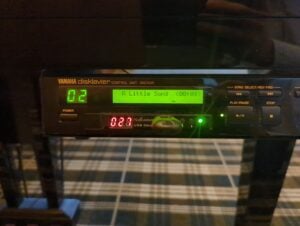
For quick identification, MX100A units commonly have a red display; MX100B units commonly have a green display and added a mute function.
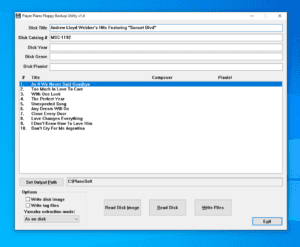
This controller cannot play an ordinary .mid file from its floppy drive. My APS MIDI Prep Tool floppy guide shows how to convert a MIDI file to E-SEQ and create the PIANODIR.FIL directory the Disklavier expects.
If a computer reports an original Yamaha Disklavier floppy as unformatted, do not format it. My Disklavier floppy-recovery guide explains why this happens, and my tested USB floppy-drive guide identifies hardware that can read 720 KB/2DD disks.