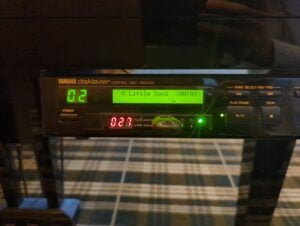
The DKC5R is the external controller used with first-generation (Mark I) MX80 and MX95 Disklaviers. It records and plays Yamaha’s older E-SEQ song format from low-density (2DD) floppy disks and can be adapted for Bluetooth MIDI, CD playback, instrumental accompaniment, or a USB floppy-drive emulator.
At a Glance
- Generation
- Mark I external control unit
- Associated Models
-
Mark IMX80MX95
- Uses
-
2DD floppy
- Recording
-
E-SEQ
- Plays
-
E-SEQ
- PianoSoft Types
-
Solo
- Upgrade Options
-
MIDI/app playbackBluetooth MIDIAnalog/audio accompanimentDCD-1Media/storage replacementGotekNalbantovTone generator / ensemble upgradesMU50 / TG100
- Bluetooth MIDI Apps
- Manuals
Things to Know
A generic USB emulator such as the Gotek will fit in the DKC5R. Best results are with a Gotek running FlashFloppy firmware, or with a Nalbantov.
On an MX80 with a DKC5R, MIDI OUT requires a properly formatted 2DD Disklavier floppy disk to be inserted and RECORD standby to be selected. Recording does not need to start.
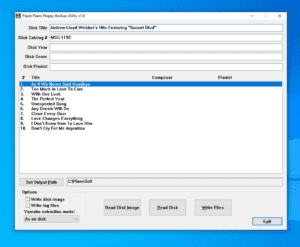
This controller cannot play an ordinary .mid file from its floppy drive. My APS MIDI Prep Tool floppy guide shows how to convert a MIDI file to E-SEQ and create the PIANODIR.FIL directory the Disklavier expects.
If a computer reports an original Yamaha Disklavier floppy as unformatted, do not format it. My Disklavier floppy-recovery guide explains why this happens, and my tested USB floppy-drive guide identifies hardware that can read 720 KB/2DD disks.
Nalbantov replacements are model-specific. Purchase the Nalbantov configured for this model; do not assume that a generic Gotek—or a Nalbantov configured for another controller—will fit.