Customers routinely ask me whether their Disklaviers can play MIDI, or only E-SEQ (often written ESEQ), what services they support, and whether they can be upgraded. I’ve constructed this chart of Disklavier compatibility to answer those questions.
This table lists various Disklavier controllers and their corresponding floppy disk formats, recording capabilities, and playback options. Please contact me if you have anything to add to this Disklavier compatibility table, or if you see any inaccuracies. I do my best to confirm this against real world repair data.
I’ve included which models support Disklavier Radio and DisklavierTV, as well as which Disklaviers you can control with an app. There are also notes about firmware upgrades. Note that DisklavierTV is only available in the United States and Canada (see Yamaha’s product page for DisklavierTV).
I’ve included information on PianoStream and Nalbantov upgrades. These are very common user add-ons. For more information about PianoStream, see my page dedicated to this upgrade, or my page on Nalbantov upgrades. PianoStream and Nalbantov are not in any way associated with Yamaha. They are independent, third-party products.
I’m a Yamaha Service Center, and I’ve done my best to cross-reference these details against Yamaha service manuals, owner documentation, and hands-on field experience. When Yamaha documentation doesn’t explicitly state a capability, especially for third-party products like PianoStream or Nalbantov, I verify it through primary third-party documentation and direct field-testing. See the full list of citations at the bottom of this article.
Any Disklavier that can accept standard MIDI via MIDI IN can generally be paired with a Bluetooth-MIDI dongle. Where I indicate support for PianoStream Digital, you should also be able to use Sweet MIDI, midimittr, DiskPiano, Midi Recorder with E.Piano, and other Bluetooth-MIDI-driven apps—provided you purchase and connect a Bluetooth-MIDI device such as the WIDI Master.
I’ve been developing APS NoteCast, which is my own Android Bluetooth-MIDI app designed specifically around player piano systems. In my experience, Bluetooth-MIDI support for Android and Windows devices is improving, but most of the reliable apps are still Apple only.
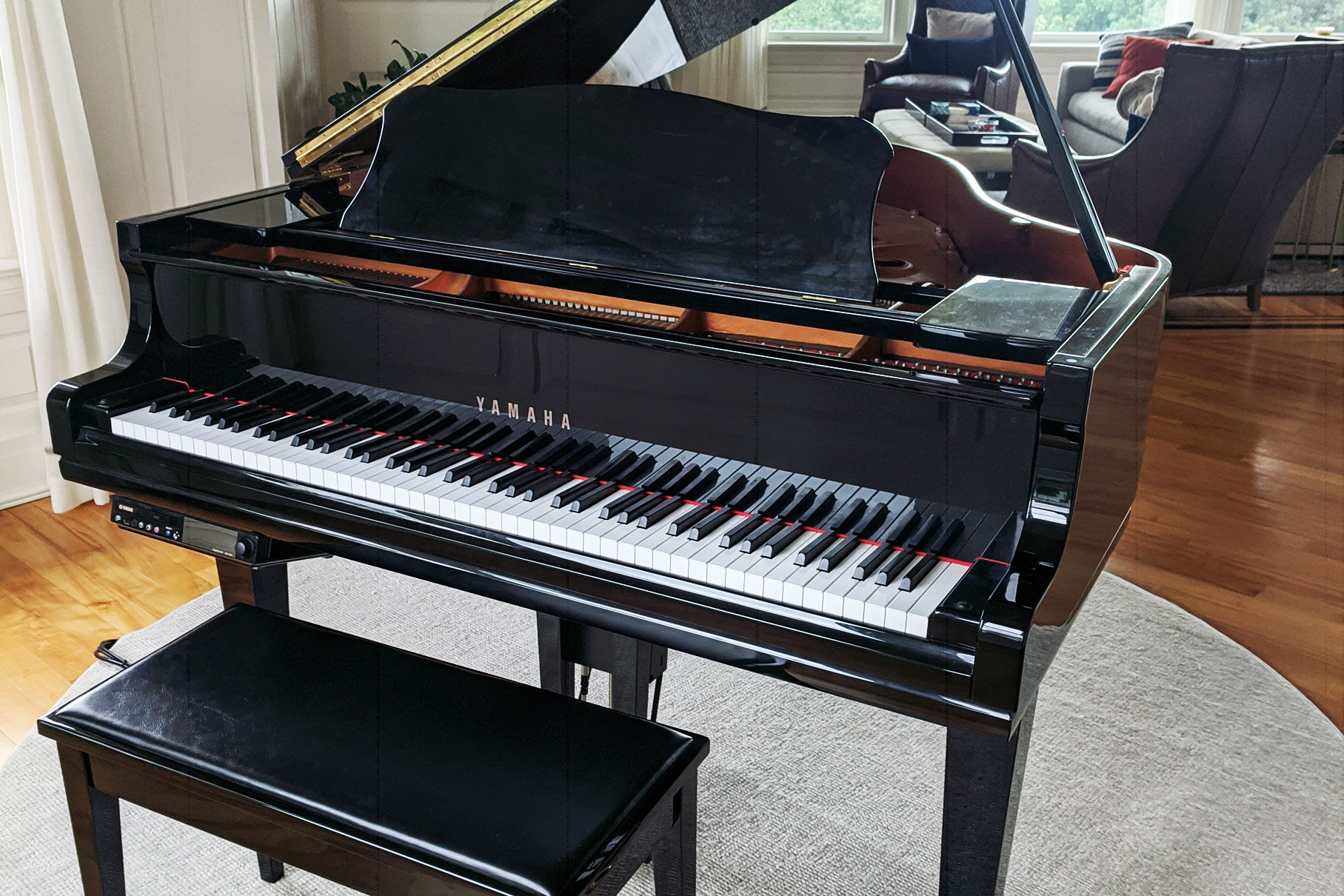
For ease of use, I’ve grouped equivalent piano models and controllers together. You can find your model of Disklavier right on the front of the controller display (except on the Mark IV). On most models, it’s near the top, but on the E3 / DKC-800 / DKC-850 it’s printed on the clear panel that covers the LCD screen. The Mark IV is unique in that it uses a PDA- or tablet-style remote control, so it’s easy to tell apart from the others.
Many of these systems, including the DSR1 and some Mark II XG and Mark III models, have firmware updates available. Please check Yamaha’s firmware update official list to see if you’re up-to-date. Check my articles on the E3 firmware and Mark IV firmware if you have these systems.
And Now, The Table!
Controllers / upgrades and what they can record and play. Use search for anything:
Associated: Mark I, Built-in, MX100A, MX100B Associated: Mark I, Wagon, DGP Associated: Mark I, MX80, MX95 Associated: Mark II, Built-in, MX100II, MPX100II, HQ100 Associated: Mark II, DGPII, DG1FII, DG2FII, DC7FIIW, DGH1BII Associated: Mark II playback-only XG, DGH1BXG, DGP1XG Associated: Upgrade for Mark I and II Associated: Mark II XG, MPX100IIXG, MPX1, DGPS, DGT2IIXG, DGT7 Associated: Mark II XG PRO, DGT2IIXG, DGT7, MPX1Z, MPX5C, DC3S PRO, DC6S PRO, DC7S PRO, DS4S PRO, DS6S PRO, DCFIIISSPRO Associated: Mark II XG, MX100IIXG, MX1, DGPIIXG, DC1IIXG, DC2IIXG, DC7IIXG, DGH1BIIXG Associated: Mark II XG PRO, MX1Z Associated: Mark II XG, MPX70, DYU3, MX116, MX22, MX500 Associated: Mark III playback-only models, DGA1/DGB1, DGP1 Associated: DKC55CD / DKC55CD2 family, Mark III playback-only models with CD, DGC1, DGB1CD Associated: Mark III full-function/PRO models, DU1A, DGH1BA, DGC1A, DC1A, DC2A, DC3A, DC5A, DC6A, DC7A, DC3A PRO, DC5A PRO, DC6A PRO, DC7A PRO, DS4A PRO, DS6A PRO, DCFIIISAPRO, DGT2A, DGT7A Associated: Mark III standard models, DGC1B Associated: CD upgrade for Mark I, II, and II XG, DCD-1, DCD1+PS Associated: Mark IV, DA1M4, DGC1M4, DC1M4, DC2M4, DC3M4, DC3M4t, DC5M4, DC5M4t, DC6M4, DC6M4t, DC7M4, DC7M4t, DC3M4 PRO, DC5M4 PRO, DC6M4 PRO, DC7M4 PRO, DS4M4 PRO, DS6M4 PRO, DCF3SM4 PRO, DCFIIISM4 PRO, DCFXM4 PRO, DMC-100, DIO-100, PRC-100, TRC-100 Associated: E3 systems Associated: Replacement for DKC500R, DKC500RXG, DKC500RW, DKC500RWXG, DKC50R, DKC55, DKC55CD, DKC55CD2, DKC55RCD, DKC60RCD, MIDI-cable add-on for supported Mark II DKC100R/built-in and DKC100XG systems Associated: ENSPIRE CL/ST/PRO systems, DKC-900 upgrade for eligible E3 and Mark IV/Mark IV PRO systemsDSR1, E-SEQ, SMF1, Mark IV, DMC-100, 2HD, etc.
MX100A / MX100B
DKW10
DKC5R
MX100II
DKC100R
DKC100XG
DSR1 (Upgrade)
DKC500R
DKC500RW
DKC500RXG
DKC500RWXG
DKC50R
DKC55
DKC55CD
DKC55RCD
DKC60RCD
DCD1 (Upgrade)
Disklavier Mark IV / PRO
DKC-800 / E3
DKC-850 (Upgrade)
DKC-900 / ENSPIRE
After the Mark IV, E‑SEQ recording disappears (E3/DKC‑850 can still play E‑SEQ). The ENSPIRE / DKC-900 drops E‑SEQ support entirely. Accordingly, you’ll have to convert your E-SEQ files to MIDI for modern systems such as the ENSPIRE.
A floppy disk should contain only E-SEQ, SMF0, or SMF1 files—not mixed types. Mixing MIDI types and E-SEQ files on floppy disks will generally make them unreadable. MIDI files have .MID or .mid extensions, whereas E-SEQ files have .FIL or .fil extensions.
E-SEQ and MIDI support FAQ
My piano can’t play MIDI files from floppy disks… but it can still play MIDI somehow?
Several Disklaviers, such as the MX100A/B, Wagon, and MX80, can only play E-SEQ files from floppy disks, but can actually take MIDI input through their MIDI jacks. This is why PianoStream and Sweet MIDI can bypass the floppy disk constraints.
What is E-SEQ?
Yamaha developed E-SEQ as a proprietary format for Disklavier and certain digital pianos. Yamaha typically stored E-SEQ songs on 3.5″ 2DD floppy disks and often paired them with copy protection, such as a blank first sector. They also produced variants of E-SEQ for other product lines; for example, some Clavinovas used an E-SEQ format with a different configuration.
Because E-SEQ is proprietary, Yamaha does not publish the full specifications. Even so, the data content closely resembles a MIDI file in many practical ways. Yamaha later transitioned to standard MIDI files and stopped copy-protecting owner-recorded disks. Yamaha continued using E-SEQ on PianoSoft Solo and PianoSoft Plus disks until it discontinued production.
You can read more about E-SEQ at Just Solve the File Format Problem’s Wiki entry or at UK National Archives in their PRONOM entry.
If you have a Mark II system with an added DSR1, what can that support?
The Yamaha DSR1 supports both 720 KB (2DD) and 1.44 MB (2HD) floppy disks, records MIDI as SMF Type 0, and plays both Type 0 and Type 1 MIDI files. It’s an upgrade unit that adds Mark II XG capabilities to the Mark II and Mark I.
How many songs can a floppy disk store?
This depends on the length of the song and the number of notes. However, there is a hard upper limit of 60 songs on E‑SEQ disks, and 99 on SMF disks, regardless of the actual space they take up. The Yamaha Mark III User Manual discusses these, and the E-SEQ limitations apply to earlier models as well.
Sources
I compiled this list using Yamaha service manuals, owner documentation, and field verification across hundreds of Disklavier systems. I’ve included the most significant sources below.
Floppy Disk and E-SEQ Compatibility
When researching MIDI and E-SEQ compatibility and HD/DD floppy disk compatibility, I referenced Carol RPT Disk File Chart. I also sourced information about local storage from Carol RPT. Information on the Mark III is verified using the Yamaha Mark III User Manual.
For specific information on the DCD-1 and Mark IV, I reference the Yamaha CD Player for Disklavier DCD1 Service Manual (0.942K-989K, Sept. 2001), and the Mark IV Service Manual (PDF-K9475, Mar. 2005). These aren’t available to the public.
Disklavier Radio and DisklavierTV Compatibility
For information on Yamaha Piano Radio and DisklavierTV for the Mark IV and E3, I referenced Yamaha’s official documentation, a 2013 press release on DisklavierTV and Disklavier Radio, the Yamaha Mark IV manual, and the Yamaha E3 feature page. With the DKC-850, I referenced these same articles, plus the previously mentioned Yamaha DKC-850 Connection Guide.
For information on the Yamaha DKC-850 upgrade specifically, I used the Yamaha DKC-850 Connection Guide and the DKC-850 Operation Manual. The latter describes the limitations of piggybacking with Internet Direct Connection and Disklavier Radio. There’s more information about the DKC-850 upgrade in Yamaha’s connection guide.
DKC-900 Upgrade Eligibility
I sourced information about the Yamaha ENSPIRE and DKC-900 Piano Radio from Yamaha’s information on the Premium Pass. You can see more about the tiers on their Disklavier subscription page. I sourced the DKC-900 upgrade compatibility Yamaha’s DKC-900 product page.
PianoStream and Nalbantov Eligibility
Information on the PianoStream app is derived from their Apple App Store listing. Similarly, information on the Nalbantov floppy disk emulator is derived from their own Disklavier section.
Some information is sourced from the YAMAHA & BÖSENDORFER Disklavier Owners Facebook group, as well as the PIANOSTREAM GROUP.