If you’re still deciding between slab vs. console, budget ranges, or what accessories you’ll need, read this first: Digital Piano Buyer’s Guide.
Some links in this article are affiliate links. As an Amazon Associate I earn from qualifying purchases. Your click fuels hours of reviewing old service manuals—at zero added cost to you.
Quick verdict
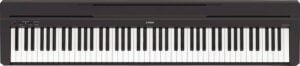
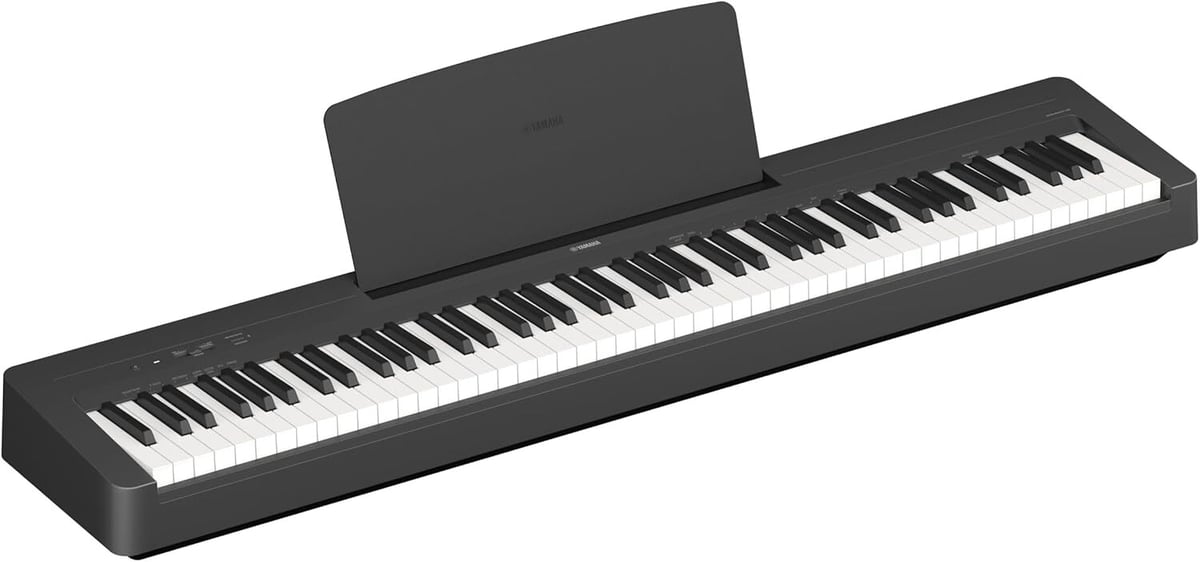
The Yamaha P-145 is the newer “entry P-series” platform. Compared to the P-45B, Yamaha mainly updated the key action, piano sound, speaker system, and connectivity.
- If you’re buying new: I generally lean P-145 for the added USB audio interface, pedal-unit support, and updated piano sound. However, the P-45B is still available new, and is less expensive. If you’re looking to save a little money and purchase a worthwhile instrument, it’s still a good choice.
- If you find a P-45B for meaningfully less money: it’s still a solid beginner keyboard—just understand what you’re giving up (details below).
You may see P-145BT (Bluetooth). The “BT” version is the same core piano with added Bluetooth audio features.
Key differences at a glance
| Feature | Yamaha P-45B | Yamaha P-145 |
|---|---|---|
| Key action | GHS (Graded Hammer Standard) | GHC (Graded Hammer Compact) |
| Piano sound | AWM Stereo Sampling | CFIIIS piano sound + Damper Resonance |
| Polyphony | 64 notes | 64 notes |
| Voices | 10 | 10 |
| Speakers / amp | 6W x 2, 12 cm x 2 | 7W x 2, oval (12 cm x 8 cm) x 2 |
| USB audio interface | No USB audio interface listed | Yes (44.1 kHz / 16-bit / stereo) |
| Pedal unit (3-pedal) | No | Yes (supports a pedal unit) |
| Half-pedaling | Yes (with Yamaha FC3A) | Yes (with FC3A; also with LP-5A pedal unit) |
| Headphone jack | Yes | Yes (x1) |
| Line outputs (AUX OUT) | No | No |
| Size (WxHxD) | 1326 x 154 x 295 mm | 1326 x 129 x 268 mm |
| Weight | 11.5 kg | 11.1 kg |
| Power adapter | PA-150 (or Yamaha-recommended equivalent) | PA-150B (or Yamaha-recommended equivalent) |
Quick translation: The P-145 doesn’t “change everything.” It’s still a simple 88-key beginner slab. But it’s a noticeably more modern platform—especially if you want USB recording and proper pedal options.
What Yamaha changed (and what it means)
- Action: Instead of the GHS action, which has been used for many years in many different instruments, the P-145 uses the newer GHC action. Yamaha redesigned the keybed to be more compact, which helps the whole instrument be shallower and a bit lighter. This action feels less “plasticky” than the P-45B, but the shorter keys mean they do pivot differently. If you play toward the backs of the keys, the GHC action feels noticeably heavier.
- Sound: AWM Stereo Sampling → CFIIIS piano sound plus Damper Resonance (more “piano-like bloom” when sustaining). True acoustic pianos have a lot of resonance when the damper pedal is applied, and the P-145 simulates this.
- Speakers: Slightly more amp power and a different speaker format, which can help a little in a small room.
- Connectivity: P-145 adds a real USB audio interface so your computer/phone can capture audio digitally (not just MIDI).
- Pedals: P-145 supports a pedal unit (3-pedal option). The P-45B does not.
Touch & action: GHS (P-45B) vs GHC (P-145)
Both are entry-level graded hammer actions: They’re noticeably heavier in the bass, lighter in the treble. The P-145’s GHC is the newer compact design, and the P-45B’s GHS is the older standard design.
The “compact” redesign helps reduce the depth of the instrument, but compact actions can feel a bit different under the fingers—especially if you play deep into the keys (back of the black keys).
- If you’re a true beginner: either one is absolutely workable for learning fundamentals.
- If you’re sensitive about key feel: try both in-person if possible. On paper they’re in the same category, but the feel can be noticeably different to some hands.
- Technician-style advice: for most beginners, the “feel difference” matters less than having a stable stand/bench and a pedal that doesn’t slide around.
Sound: AWM (P-45B) vs CFIIIS + resonance (P-145)
The biggest “musical” change is the piano sound source.
P-45B sound (AWM Stereo Sampling)
AWM is Yamaha’s long-running sampled-sound approach at this price point. It’s simple and effective, and the P-45 became popular for a reason: it sounds “good enough” for a huge number of beginners.
P-145 sound (CFIIIS + Damper Resonance)
The P-145 uses a CFIIIS-based piano sound and adds Damper Resonance. When you use the sustain pedal, the instrument can sound a bit more like a real piano “ringing” instead of notes just being held.
Polyphony is still 64 notes on both models. If you’re doing big sustained passages with lots of pedal, either can hit limits. But for beginner-to-intermediate repertoire, 64 is usually fine. Note that the Roland FP-10, by comparison, has 96 notes of polyphony.
Speakers & room sound
Neither of these is a “fill the room like an upright” instrument. But the P-145’s speaker/amp update can be helpful in a small space:
- P-45B: 6W x 2 amplification.
- P-145: 7W x 2 amplification with oval speakers.
If you care about good sound, pay more attention on headphones (for quiet practice) or a proper external speaker setup. Portable keyboards typically do not have powerful internal amplifiers, and these are no exception.
Over the years, I’ve also replaced several failed amplifiers in P-series Yamahas. Although these were probably caused by speaker issues or other problems, I can’t rule out the amplifier overheating. External amplification is much less stressful for the instrument, if you’re truly seeking volume.
For headphone recommendations, see my page on the Best Headphones for Digital Pianos.
Pedals & expressiveness
Both the P-45B and P-145 can work with a “real” sustain pedal, and both support half-pedaling when you use the right Yamaha pedal (FC3A). Where the P-145 pulls ahead is pedal expandability.
- P-45B: sustain pedal jack only (no 3-pedal unit support).
- P-145: supports a pedal unit (3 pedals) and half-pedal function with compatible pedals.
If you’re teaching/learning classical technique and want soft/sostenuto available later, the P-145 platform is simply the better long-term choice.
If you’re using aftermarket sustain pedals, and they’re working “backwards,” here’s the fix (and the pedals I recommend): Why Your Sustain Pedal Works Backwards.
Recording, apps & connectivity
This is the single most practical “modern life” upgrade on the P-145: It adds a USB audio interface. That means you can connect to a computer (or a smart device, with the right adapter) and send digital audio directly—without recording from the headphone jack.
- P-45B: USB-to-host is great for MIDI, but you’ll typically need another method to record clean audio.
- P-145: USB-to-host can carry MIDI + audio (44.1 kHz / 16-bit stereo).
The P-145 is also designed to work with Yamaha’s learning/recording ecosystem (Smart Pianist / Rec’n’Share). If you do online lessons, want to record practice clips, or just want “plug it in and it works,” the P-145 wins.
Size, portability & ergonomics
Yamaha made the P-145 noticeably more compact than the P-45B while keeping 88 keys:
- P-45B: 1326 x 154 x 295 mm, 11.5 kg
- P-145: 1326 x 129 x 268 mm, 11.1 kg
If you’re putting this on a desk, in a tight apartment corner, or moving it often, the P-145’s smaller depth is genuinely helpful.
My recommendation: which should you buy?
Choose the P-145 if…
- You want the newer Yamaha entry platform.
- You want USB audio recording (not just MIDI).
- You want the option for a 3-pedal unit down the road.
- You want the updated piano sound + damper resonance.
- You care about a slimmer instrument for small spaces.
Choose the P-45B if…
- You’re finding it significantly cheaper (especially used) and it’s in good condition.
- You want an ultra-simple, proven beginner slab and you don’t care about USB audio recording.
- You’re happy with a basic sustain pedal setup (no 3-pedal unit).
Already own a P-45B? Here’s when upgrading makes sense.
If your P-45B is working well, I wouldn’t call the P-145 a “must-upgrade.” The upgrades are incremental. But upgrading does make sense if you want:
- Cleaner recording workflow (USB audio interface)
- Better pedal options (especially the 3-pedal unit path)
- The updated piano sound + resonance
Setup checklist
Most “my digital piano feels bad” problems are actually setup problems:
- Stable stand: wobble kills confidence (and technique).
- Correct bench height: your wrists will thank you.
- A sustain pedal that doesn’t slide: especially on hard floors.
- Good headphones: the fastest way to improve your sound for the money.
- Surge protection: cheap insurance for everything plugged in.
Helpful reads:
- Sustain Pedals: what to buy + fix “backwards” pedals
- Best Headphones for Digital Pianos
- Surge Protectors (what I use and why)
Common gotchas & quick fixes
- Pedal works backwards? On many digitals, powering on while the pedal is held can flip polarity. Fix is usually simple: power off, release pedal, power on. Full guide: here.
- No sound? Check volume, headphones, and whether Local Control / settings got changed.
- Buying used? Test every key, every jack, and every button before money changes hands. Use my checklist: Buying used checklist (section).
If your digital piano is doing something weird, here’s my troubleshooting hub: Digital Piano & Keyboard Troubleshooting.